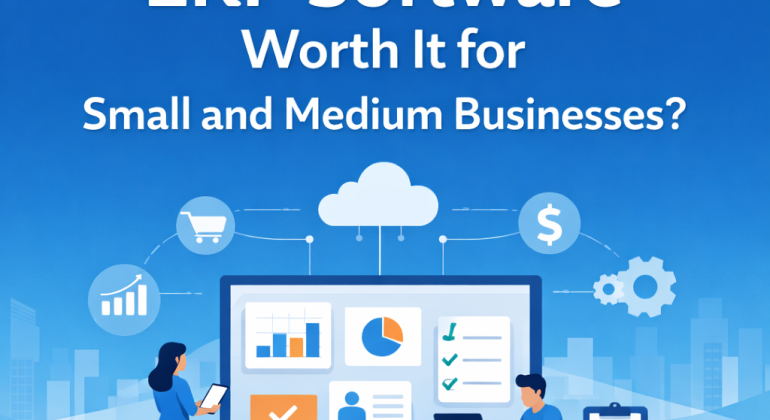
Is ERP Software Worth It for Small and Medium Businesses
 Written by FINACDecember 26, 2025
 ERP software is worth it for small and medium businesses when daily operations start feeling slow, disconnected, or hard to track. ERP software brings accounting, sales, inventory, payroll, and reporting into one system so teams work with the same data in real time.
This article explains how ERP software works for SMEs, when it makes sense to adopt it, how it affects daily work, what mistakes to avoid, and how to choose the right ERP system without confusion.
What Is ERP Software in Simple Business Terms
ERP software is a central system that stores and manages business data from different departments in one place. Instead of using separate tools for accounting, inventory, HR, and sales, ERP software connects them.
When a sale is recorded, inventory updates automatically. When payroll is processed, accounting records adjust at the same time. This removes repeated data entry and keeps information consistent.
For small and medium businesses, ERP software acts as a shared workspace where all teams see the same numbers and updates.
How ERP Software Works in Daily SME Operations
ERP software works by linking everyday tasks into one flow. Sales, purchasing, stock management, payroll, and accounting move together instead of working separately.
Here is how this usually looks in practice:
- A sales order is created.
- Inventory quantity updates instantly.
- The invoice appears in accounting records.
- Payment status reflects in financial reports.
This process reduces manual work and prevents mismatched data. Staff spend less time correcting mistakes and more time completing actual tasks.
When ERP Software Becomes Necessary for Small Businesses
ERP software becomes necessary when basic tools stop keeping up with business activity. This usually happens during growth.
Common signs include slow reporting, frequent data errors, unclear stock levels, and repeated manual work. When staff rely on spreadsheets and separate software, confusion increases as volume grows.
ERP software helps at this stage by centralizing data and standardizing workflows. This brings order to operations that feel scattered.
Why Spreadsheets and Standalone Tools Create Problems
Spreadsheets are flexible, but they lack control. Files get copied, formulas change, and versions do not match. Standalone tools store data in silos, which limits visibility.
ERP software removes these issues by creating one reliable data source. Access rules control who can edit information. Changes are logged automatically.
This improves accuracy, accountability, and trust in reports used for decisions.
How Much ERP Software Costs for SMEs
ERP software for small and medium businesses usually follows a subscription model. Pricing depends on users, features, and modules selected.
Most SMEs start with core modules such as accounting, inventory management, sales, and payroll. Additional modules can be added later.
The cost of ERP software is often offset by time savings, fewer errors, and improved planning. Manual corrections, delayed reports, and stock mistakes quietly increase operating costs over time.
What Changes Businesses Notice After ERP Adoption
After ERP software is implemented, businesses notice operational improvements quickly.
Reporting becomes faster and more reliable. Inventory checks take minutes instead of hours. Payroll runs smoothly with fewer adjustments.
Managers gain real-time visibility into performance. Teams work with shared data instead of separate files. Daily work becomes predictable and less stressful.
How ERP Software Improves Business Decisions
ERP software improves decisions by providing accurate and up-to-date data. When financials, sales, and inventory data live in one system, patterns become clear.
Business owners can track cash flow, identify slow-moving stock, and plan purchases based on real numbers. This reduces guesswork.
Clear data also supports forecasting and budgeting, which helps businesses plan growth without uncertainty.
When ERP Software Is Not the Right Choice
ERP software may not be necessary for very small businesses with low transaction volume and simple workflows. If operations are stable and easy to manage manually, ERP can wait.
ERP software also requires process discipline. Teams must follow defined workflows and enter data correctly. Without basic structure, ERP may feel difficult to manage.
The best results come when ERP software supports existing processes that are already somewhat organized.
How to Choose ERP Software for Small and Medium Businesses
Choosing ERP software starts with understanding business needs. The system should match current operations, not future complexity.
Good ERP software for SMEs has clear screens, simple navigation, and flexible modules. Cloud-based ERP systems reduce technical maintenance and allow remote access.
Support and training matter. Businesses benefit when vendors provide guidance during setup and daily use.
Key Features SMEs Usually Start With
| ERP Module | Purpose |
| Accounting | Manages income, expenses, and financial reports |
| Inventory Management | Tracks stock levels and movement |
| Sales Management | Handles orders, invoices, and customers |
| Payroll | Manages salaries, attendance, and deductions |
Common ERP Implementation Mistakes and How to Avoid Them
ERP problems often come from rushed planning. Activating all modules at once can overwhelm teams.
A phased approach works better. Businesses can start with accounting and inventory, then add more modules later.
Clean data is also important. ERP software reflects the information entered. Accurate starting data prevents long-term issues.
Clear internal workflows help ERP software work smoothly. When teams know how tasks should move, the system supports them naturally.
How ERP Software Supports Long-Term Business Stability
ERP software strengthens business stability by keeping records organized and processes consistent. Financial audits become easier. Inventory planning improves.
As businesses grow, ERP software scales without needing replacement. New users, branches, and products integrate into the same system.
This allows owners to focus on planning and improvement instead of daily troubleshooting.
Is ERP Software Worth It for SMEs Today
ERP software is worth it for small and medium businesses that want control, clarity, and consistent operations. It connects daily tasks, reduces errors, and supports growth with reliable data.
Businesses that adopt ERP at the right time often find daily work smoother and decisions easier to make.
Final Thoughts
ERP software brings clarity when business operations start feeling scattered. It helps teams work with the same data, reduces daily friction, and makes planning easier as the business grows. For small and medium businesses, the right ERP system supports growth without adding complexity.
If your team spends too much time fixing data, switching tools, or waiting for reports, this is usually a sign that your systems need alignment.
FINAC helps small and medium businesses choose and implement ERP software that fits how they already work. If you want clearer operations, better control, and a system that grows with your business, connect with FINAC and take the next practical step forward.
FAQs
What size business benefits from ERP software
ERP software fits small and medium businesses that manage sales, stock, payroll, and reports on a regular basis. It works well when the team is growing, daily data keeps changing, and manual work starts causing mistakes or delays.
How long ERP software takes to show results
Many businesses notice improvements within a few weeks after using ERP software. Reports become faster, data stays cleaner, and daily work feels smoother. Planning and financial control usually improve within one to three months.
Can ERP software work without an IT team
Yes, cloud ERP software can run without a full IT team. The provider takes care of updates, backups, and system safety. The business only needs to handle everyday tasks inside the system.
What happens to existing data when moving to ERP software
Customer details, stock records, supplier information, and financial data are moved into the ERP system. Data should be checked and cleaned before the move. After that, all records stay in one place and update automatically.
Is ERP software hard for staff to learn
ERP software for small and medium businesses is built to be easy to use. Daily tasks are simple to understand. With basic training at the start, staff can use the system comfortably without slowing down work.
Recent Comments