ERP Solution

How ERP Software Helps Manage Everything

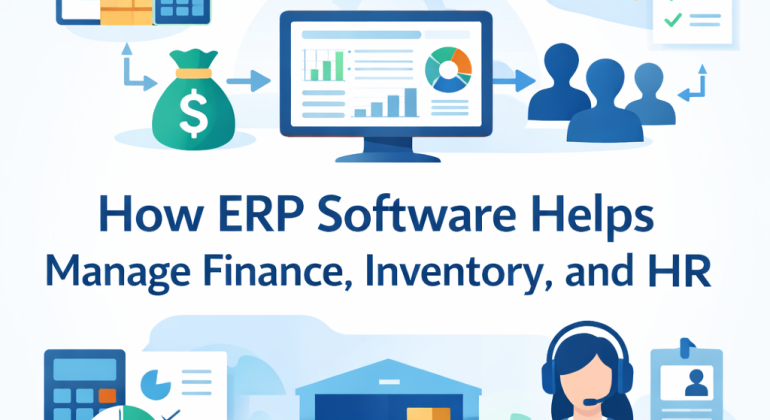
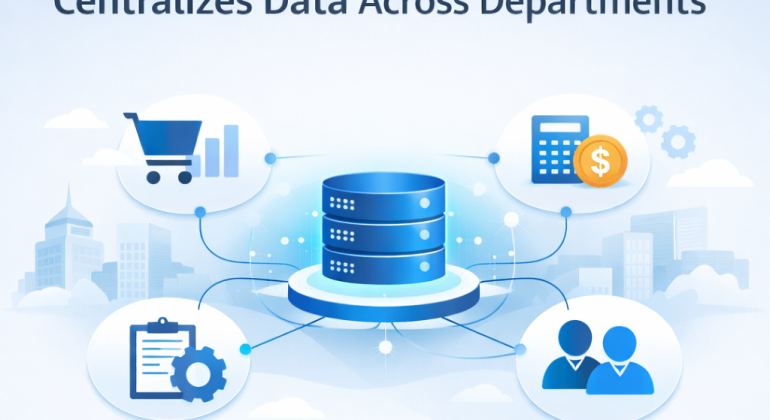
ERP software helps businesses manage finance, inventory, and HR through one shared system. All departments use the same data, updated in real time. This reduces errors, saves time, and improves decision making across the business. Companies using ERP solutions like FINAC rely on this structure to keep operations clear, connected, and easy to control.

This guide explains what ERP software does, how it works in real business settings, and when it becomes useful, using clear language and practical examples.


What Is ERP Software in Business Management?

ERP software, or Enterprise Resource Planning software, is a system that connects core business functions into one platform. Finance, inventory, and HR all operate using the same database.

This means data is entered once and shared everywhere it is needed. If inventory buys new stock, finance records the cost automatically. If HR runs payroll, salary expenses appear in accounting without manual work.

ERP software replaces disconnected tools and spreadsheets with a single, reliable source of information.


How Does ERP Software Manage Finance in One System?

ERP software manages finance by recording every transaction as it happens and storing it in one place.

This includes:

  1. Sales invoices and customer payments

  2. Supplier bills and purchase costs

  3. Employee salaries, taxes, and deductions

Because all financial activity flows into one system, reports stay accurate and up to date. Business owners can view cash balance, expenses, and profit at any time.

ERP finance modules also support budgeting. Budgets are linked to actual data, so changes in inventory or staffing appear immediately. This helps businesses control spending and avoid surprises.

Another key feature is financial traceability. ERP systems keep a record of approvals, edits, and transaction history. This supports audits and builds trust with partners.


Why Is ERP Software Better Than Separate Accounting Tools?

Separate accounting tools work in isolation. ERP software connects accounting with daily operations.

When inventory purchases increase, the cost reflects instantly in financial reports. When payroll runs, labor costs update automatically. Finance teams no longer chase data from other departments.

This connection improves accuracy and saves time, especially for growing businesses where transaction volume increases quickly.


How Does ERP Software Control Inventory Accurately?

ERP software controls inventory by tracking stock movement in real time. Every item entering or leaving the business updates the system instantly.

This helps teams:

  1. See current stock levels without manual checks

  2. Know when to reorder items

  3. Avoid overstocking and shortages

ERP inventory systems also analyze past sales data to support better purchasing decisions. Businesses can plan stock based on actual demand patterns instead of guesses.

For regulated or sensitive products, ERP software supports batch numbers and expiry dates. Items can be traced from supplier to customer, which helps during quality checks or returns.


What Inventory Problems Does ERP Software Reduce?

ERP software reduces common inventory issues such as:

  • Mismatched stock counts

  • Missed reorders

  • Excess storage costs

  • Delayed customer deliveries

By keeping inventory data connected with sales and finance, businesses maintain balance and predictability.


How Does ERP Software Simplify HR and Payroll?

ERP software simplifies HR by storing all employee data in one system. This includes personal details, attendance, leaves, payroll, and compliance records.

Attendance data links directly to payroll calculations. Salaries, deductions, and taxes are calculated automatically based on company rules. This reduces errors and saves time for HR teams.

Payroll data also connects with finance. Salary expenses appear in accounting records instantly, giving a clear view of workforce costs at any moment.

ERP systems store employee records in line with labor laws and tax requirements. Reports can be generated quickly when needed.


Why Is HR and Finance Integration Important?

When HR and finance systems are separate, payroll errors and reporting delays increase. ERP software removes this gap.

Hiring new employees updates payroll forecasts automatically. Salary changes reflect in budgets without extra steps. This helps leaders plan staffing and costs with accuracy.


How Does ERP Software Improve Decision Making?

ERP software improves decision making by showing how departments affect each other.

If inventory purchases rise, finance sees the cash impact immediately. If staffing increases, payroll costs update in financial reports. Leaders view the full picture instead of isolated numbers.

This shared visibility improves forecasting and planning. Sales trends guide inventory planning, and workforce costs influence pricing decisions.


When Should a Business Use ERP Software?

ERP software becomes useful when:

  • Spreadsheets grow complex

  • Reports take too long to prepare

  • Numbers do not match across teams

Small and mid sized businesses often start with finance and inventory modules, then add HR as teams grow. Cloud based ERP software supports this gradual approach and reduces setup effort.


What Are Practical Steps to Use ERP Software Effectively?

ERP software delivers better results when businesses follow clear steps.

  1. Clean existing data before setup

  2. Define workflows and user roles clearly

  3. Train teams on how their actions affect other departments

Regular system reviews help businesses spot rising costs, slow processes, or unused stock early.


How Finance, Inventory, and HR Work Together in ERP

Business Activity Inventory Impact Finance Impact HR Impact
New stock purchase Stock increases Cost recorded None
Employee hiring None Payroll forecast updates Employee record added
Product sale Stock decreases Revenue recorded None

This shared flow keeps all departments aligned and informed.


Conclusion

ERP software brings finance, inventory, and HR together in one clear system, making daily work easier to manage and decisions easier to trust. When data flows smoothly across departments, businesses spend less time fixing errors and more time focusing on growth. A well-set ERP system gives you visibility into costs, stock, and people without adding extra workload.

If your business is starting to feel slowed down by spreadsheets or disconnected tools, this is the right time to switch. With FINAC, you get an ERP solution built for real business needs, not unnecessary complexity. Take the next step toward cleaner data, better control, and smoother operations. Talk to FINAC and see how ERP can work for your business today.


Read More
ERP Solution

Is ERP Software Worth It for Small and Medium Businesses

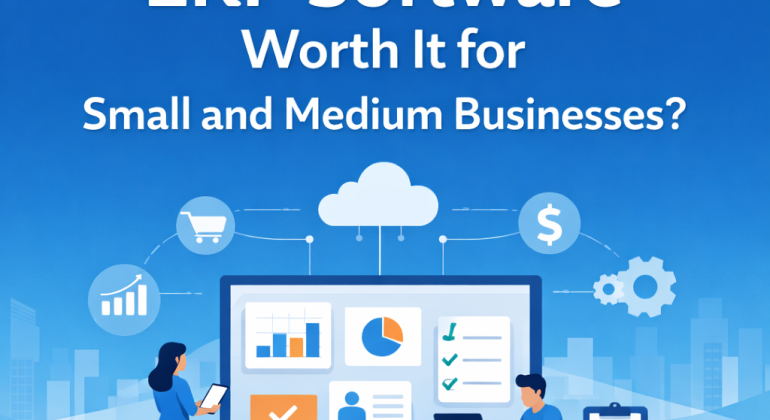
ERP software is worth it for small and medium businesses when daily operations start feeling slow, disconnected, or hard to track. ERP software brings accounting, sales, inventory, payroll, and reporting into one system so teams work with the same data in real time.

This article explains how ERP software works for SMEs, when it makes sense to adopt it, how it affects daily work, what mistakes to avoid, and how to choose the right ERP system without confusion.


What Is ERP Software in Simple Business Terms

ERP software is a central system that stores and manages business data from different departments in one place. Instead of using separate tools for accounting, inventory, HR, and sales, ERP software connects them.

When a sale is recorded, inventory updates automatically. When payroll is processed, accounting records adjust at the same time. This removes repeated data entry and keeps information consistent.

For small and medium businesses, ERP software acts as a shared workspace where all teams see the same numbers and updates.


How ERP Software Works in Daily SME Operations

ERP software works by linking everyday tasks into one flow. Sales, purchasing, stock management, payroll, and accounting move together instead of working separately.

Here is how this usually looks in practice:

  1. A sales order is created.

  2. Inventory quantity updates instantly.

  3. The invoice appears in accounting records.

  4. Payment status reflects in financial reports.

This process reduces manual work and prevents mismatched data. Staff spend less time correcting mistakes and more time completing actual tasks.


When ERP Software Becomes Necessary for Small Businesses

ERP software becomes necessary when basic tools stop keeping up with business activity. This usually happens during growth.

Common signs include slow reporting, frequent data errors, unclear stock levels, and repeated manual work. When staff rely on spreadsheets and separate software, confusion increases as volume grows.

ERP software helps at this stage by centralizing data and standardizing workflows. This brings order to operations that feel scattered.


Why Spreadsheets and Standalone Tools Create Problems

Spreadsheets are flexible, but they lack control. Files get copied, formulas change, and versions do not match. Standalone tools store data in silos, which limits visibility.

ERP software removes these issues by creating one reliable data source. Access rules control who can edit information. Changes are logged automatically.

This improves accuracy, accountability, and trust in reports used for decisions.


How Much ERP Software Costs for SMEs

ERP software for small and medium businesses usually follows a subscription model. Pricing depends on users, features, and modules selected.

Most SMEs start with core modules such as accounting, inventory management, sales, and payroll. Additional modules can be added later.

The cost of ERP software is often offset by time savings, fewer errors, and improved planning. Manual corrections, delayed reports, and stock mistakes quietly increase operating costs over time.


What Changes Businesses Notice After ERP Adoption

After ERP software is implemented, businesses notice operational improvements quickly.

Reporting becomes faster and more reliable. Inventory checks take minutes instead of hours. Payroll runs smoothly with fewer adjustments.

Managers gain real-time visibility into performance. Teams work with shared data instead of separate files. Daily work becomes predictable and less stressful.


How ERP Software Improves Business Decisions

ERP software improves decisions by providing accurate and up-to-date data. When financials, sales, and inventory data live in one system, patterns become clear.

Business owners can track cash flow, identify slow-moving stock, and plan purchases based on real numbers. This reduces guesswork.

Clear data also supports forecasting and budgeting, which helps businesses plan growth without uncertainty.


When ERP Software Is Not the Right Choice

ERP software may not be necessary for very small businesses with low transaction volume and simple workflows. If operations are stable and easy to manage manually, ERP can wait.

ERP software also requires process discipline. Teams must follow defined workflows and enter data correctly. Without basic structure, ERP may feel difficult to manage.

The best results come when ERP software supports existing processes that are already somewhat organized.


How to Choose ERP Software for Small and Medium Businesses

Choosing ERP software starts with understanding business needs. The system should match current operations, not future complexity.

Good ERP software for SMEs has clear screens, simple navigation, and flexible modules. Cloud-based ERP systems reduce technical maintenance and allow remote access.

Support and training matter. Businesses benefit when vendors provide guidance during setup and daily use.


Key Features SMEs Usually Start With

ERP Module Purpose
Accounting Manages income, expenses, and financial reports
Inventory Management Tracks stock levels and movement
Sales Management Handles orders, invoices, and customers
Payroll Manages salaries, attendance, and deductions


Common ERP Implementation Mistakes and How to Avoid Them

ERP problems often come from rushed planning. Activating all modules at once can overwhelm teams.

A phased approach works better. Businesses can start with accounting and inventory, then add more modules later.

Clean data is also important. ERP software reflects the information entered. Accurate starting data prevents long-term issues.

Clear internal workflows help ERP software work smoothly. When teams know how tasks should move, the system supports them naturally.


How ERP Software Supports Long-Term Business Stability

ERP software strengthens business stability by keeping records organized and processes consistent. Financial audits become easier. Inventory planning improves.

As businesses grow, ERP software scales without needing replacement. New users, branches, and products integrate into the same system.

This allows owners to focus on planning and improvement instead of daily troubleshooting.


Is ERP Software Worth It for SMEs Today

ERP software is worth it for small and medium businesses that want control, clarity, and consistent operations. It connects daily tasks, reduces errors, and supports growth with reliable data.

Businesses that adopt ERP at the right time often find daily work smoother and decisions easier to make.


Final Thoughts 

ERP software brings clarity when business operations start feeling scattered. It helps teams work with the same data, reduces daily friction, and makes planning easier as the business grows. For small and medium businesses, the right ERP system supports growth without adding complexity.

If your team spends too much time fixing data, switching tools, or waiting for reports, this is usually a sign that your systems need alignment.

FINAC helps small and medium businesses choose and implement ERP software that fits how they already work. If you want clearer operations, better control, and a system that grows with your business, connect with FINAC and take the next practical step forward.


FAQs


What size business benefits from ERP software

ERP software fits small and medium businesses that manage sales, stock, payroll, and reports on a regular basis. It works well when the team is growing, daily data keeps changing, and manual work starts causing mistakes or delays.


How long ERP software takes to show results

Many businesses notice improvements within a few weeks after using ERP software. Reports become faster, data stays cleaner, and daily work feels smoother. Planning and financial control usually improve within one to three months.


Can ERP software work without an IT team

Yes, cloud ERP software can run without a full IT team. The provider takes care of updates, backups, and system safety. The business only needs to handle everyday tasks inside the system.


What happens to existing data when moving to ERP software

Customer details, stock records, supplier information, and financial data are moved into the ERP system. Data should be checked and cleaned before the move. After that, all records stay in one place and update automatically.


Is ERP software hard for staff to learn

ERP software for small and medium businesses is built to be easy to use. Daily tasks are simple to understand. With basic training at the start, staff can use the system comfortably without slowing down work.


Read More